Grading coding assignments

Spend less time managing files. More time giving feedback.

SLICE — Stride's Language Integrated Code Evaluator — brings submissions, builds, tests, rubrics, and reusable comments into one focused grading workflow.

FractionsV1 / Main.java Is Complete
25/25
Reuse a precise comment and connect it to the student's code.
Scroll

Streamlined Automation

From submitted code to completed rubric, faster

SLICE handles the repetitive parts of grading: downloading submissions, building or compiling projects, running your tests, and capturing the results. You stay in control of the feedback and score while moving quickly through the students.

  • Download all student submissions quickly & simultaneously
  • Build, run, capture and view all output with a single click
  • Visually spot broken or late code
  • Reuse common comments and reference specific student code
  • Scores summarized in a local CSV file
  • Email completed rubrics with all comments to students
  • View diff files of resubmissions
  • Edit small submission errors without leaving the grading environment
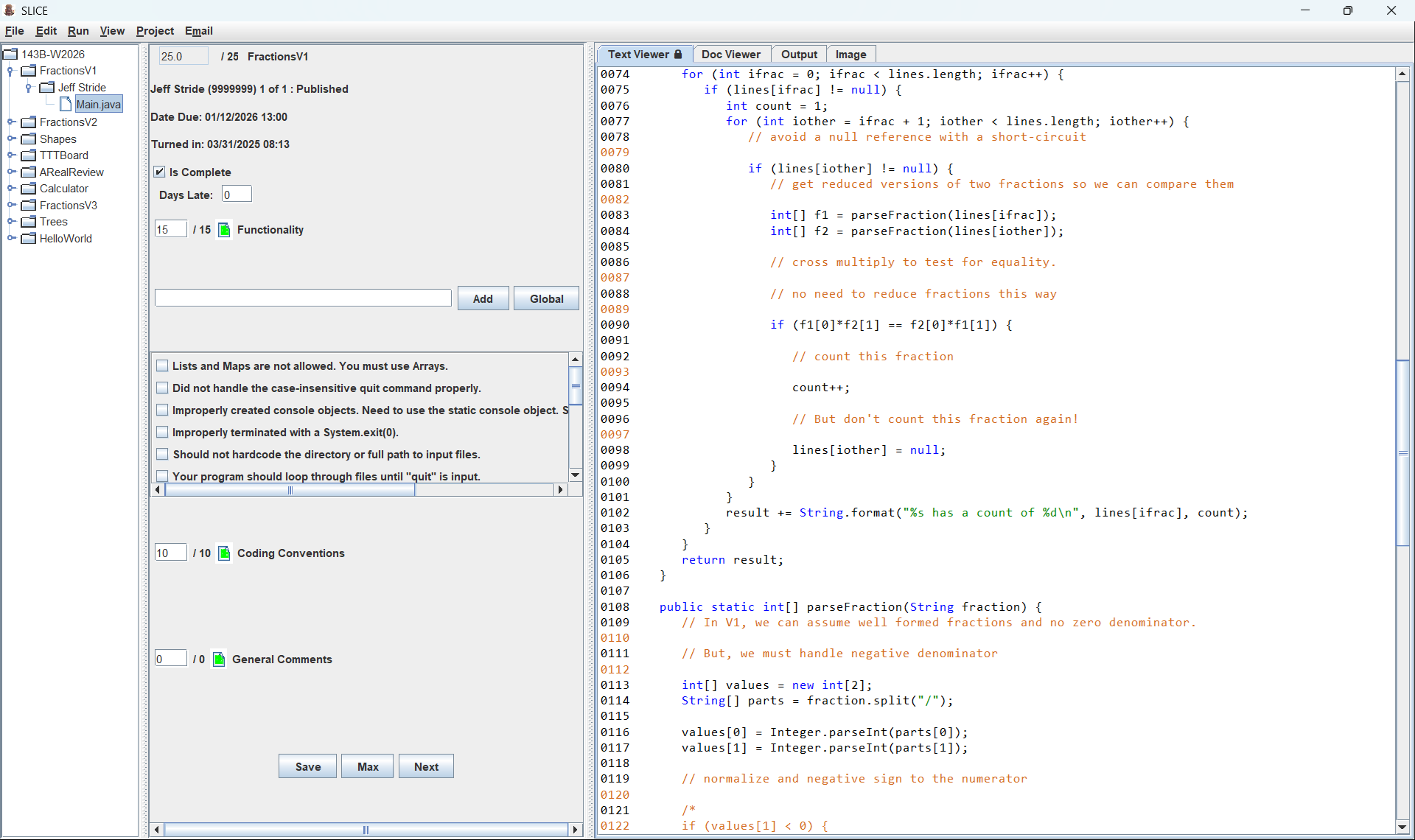
SLICE desktop interface showing assignments and students, rubric scores, and a syntax-highlighted Java source file

Customizable

Shape the workflow around each assignment

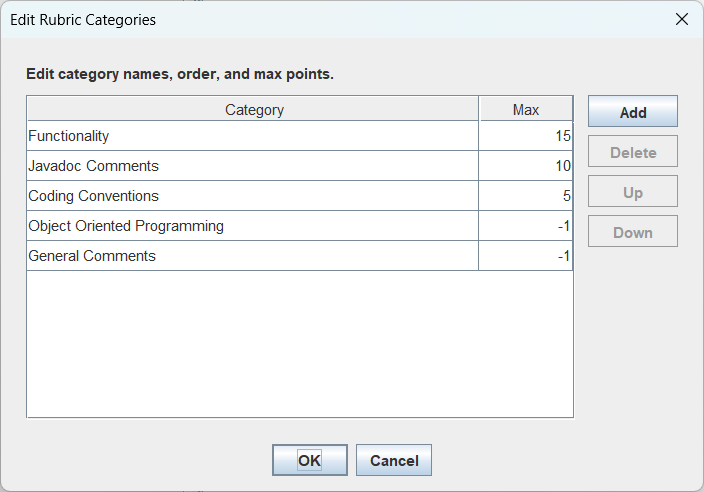
Configure the rubric, build and run flags, supporting files, test inputs, expected outputs, timeouts, and the student files an assignment requires. SLICE adapts to the way you teach instead of forcing every project into one template.

  • Create assignment-specific scoring categories, points, and reusable comments
  • Compare captured test output against your expected results
  • Choose between running Unit Tests and capturing the output from multiple inputs
  • Create new assignments with user friendly UI
  • Reuse a class after clearing prior student data
  • Score using customizable ESNU specifications grading scale
SLICE Edit Rubric Categories dialog with customizable category names, maximum scores, and ordering controls

Submission Options

Collect code through the service that fits your class

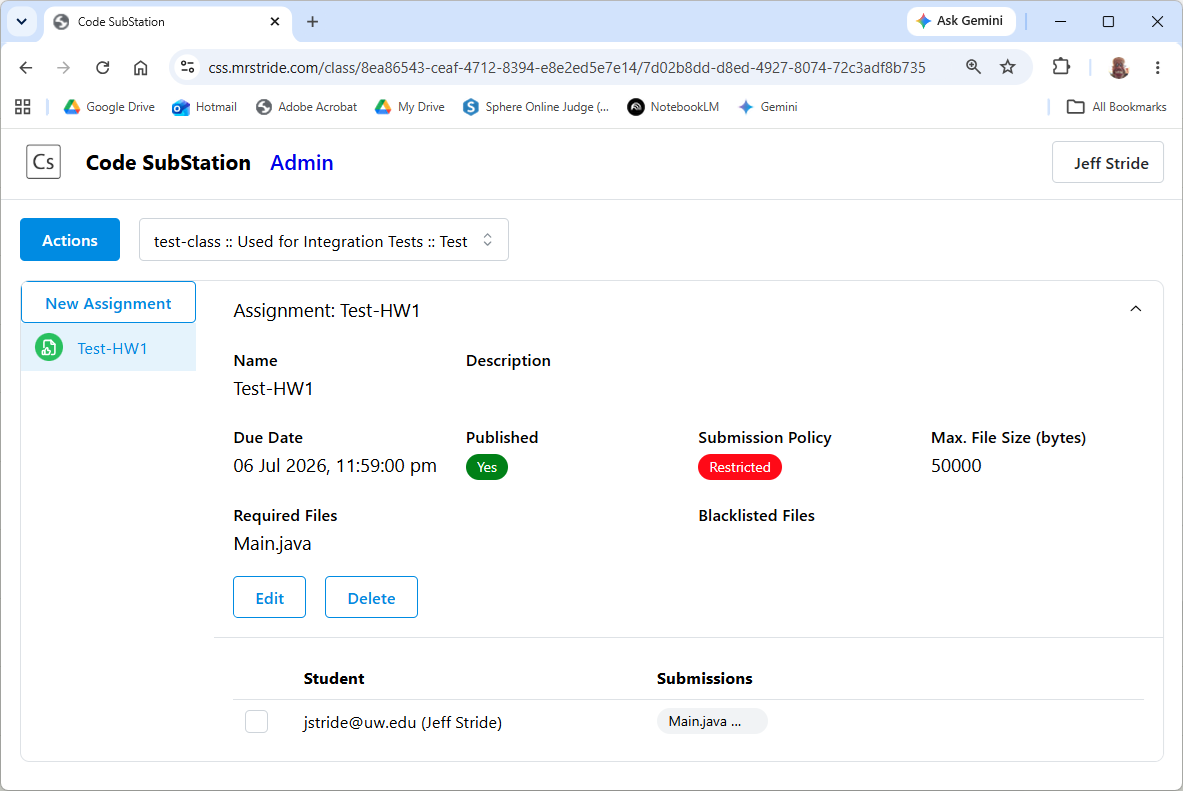
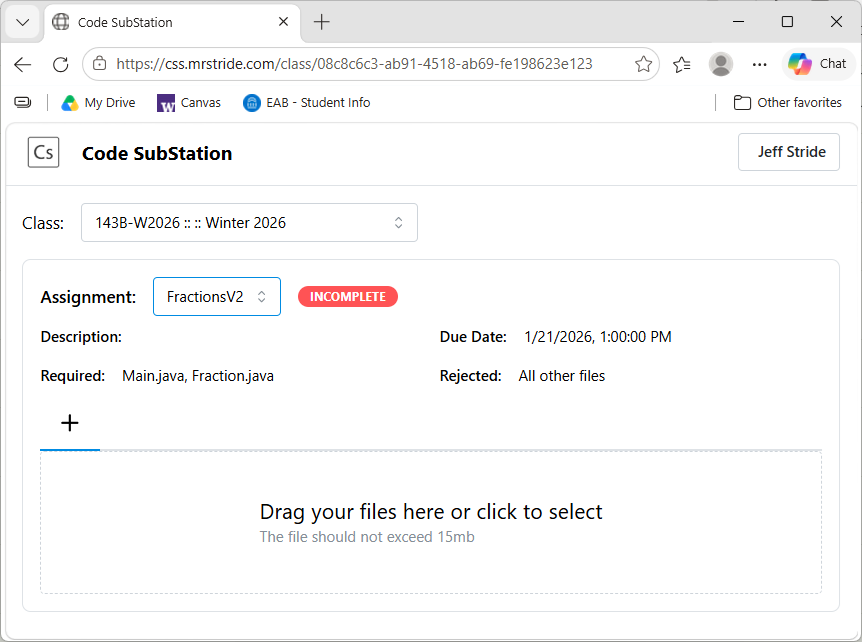
Configure submission handling per assignment. Use the full classroom workflow at CSS.MrStride.com, import a Canvas submission ZIP, or download from a class Dropbox folder.

  • Canvas
    • Quickly import student files from a Canvas submission ZIP
    • Filter imported files and identify late submissions
  • CSS.MrStride.com
    • Use authenticated submissions restricted to enrolled students
    • Validate filenames, required files, versions, and submission times online
    • Restrict submissions to the files an assignment requires
  • Dropbox
    • Download submissions from a class Dropbox folder
    • Track submission versions and timestamps
CSS.MrStride.com assignment submission page
CSS.MrStride.com student submission view

Multiple Languages

Grade Java, Python, and C++ in one tool

Use the same familiar grading workflow across multiple programming languages. Each assignment can define its own compiler or interpreter commands, build flags, run flags, entry points, and supporting files.

  • Compile and run Java and C++ submissions
  • Run Python assignments with configurable commands
  • Keep rubrics and grading habits consistent across courses
Language targets — build · run · evaluate
SLICE runner
C++17
int main() {
  std::cout
    << "Hello";
  return 0;
}
Java
public static void
main(String[] args) {
  System.out
    .println("Hello");
}
Python 3
def main():
  print("Hello")

if __name__ == "__main__":
  main()

FERPA

Keep sensitive grading work under your control

SLICE uses a local grading workspace for downloaded submissions, rubrics, comments, and score summaries. That gives instructors direct control over where student work is stored and how completed feedback is distributed.

  • Sensitive student information stays local
  • The web is used only to collect submissions
  • Email only those students who gave permission
  • Easily delete a class and all student data
Privacy-conscious grading workflow
Local by designStudent code, rubrics, and score summaries remain in an instructor-controlled workspace.
Controlled communicationEmail completed feedback only to students authorized to receive it.
FERPA-aware practicesSupports instructor-controlled handling of education records and institutional privacy procedures.

Let SLICE handle the repetitive work — you make the grading decisions

One workspace for collecting code, running tests, applying rubrics, and returning useful feedback.

See what SLICE does View customizations